




Beware of Computer Tech Scams
The Importance of Updating Your Passwords: Safeguard Your Finances Today
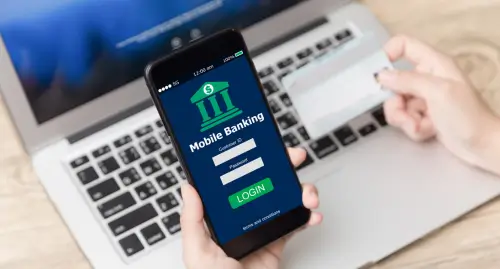
One of the simplest yet most effective ways to enhance your online safety is by regularly updating your passwords. Read more about why routine password changes are critical, as well as tips for creating strong passwords, and step-by-step processes for updating them in Online and Mobile Banking.
Let's start!
Why You Should Update Your Password Every Three Months
Passwords are the first line of defense against unauthorized access to your accounts. However, cybercriminals are constantly evolving their tactics, using sophisticated methods like brute-force attacks, phishing scams, and data breaches to crack or steal credentials. By updating your password every three months, you significantly reduce the risk of compromise.
Remember, if you suspect any unusual activity or receive a suspicious request for your credentials, change your password immediately.
Tips for Creating a Strong Password
A strong password isn't just long – it's thoughtfully created to withstand attacks. Here are some practical tips to help you craft one that's both secure and memorable.
- Aim for at least fifteen characters, though longer is even better.
- Combine uppercase and lowercase letters, numbers, and special symbols.
- Never use the same password across multiple accounts. Use a different password for your banking accounts to mitigate risk.
- Steer clear of personal details that might already be available to the public like your birthday, pets' names, and/or mother's maiden name.
- Turn a phrase into an acronym. For example, "I Love South Carolina Federal Credit Union!" could be "ILscfcu!2025."
- Consider a password manager tool to help generate and store complex passwords securely, so you don't have to remember them all.
Steps to Update Your Password in Online and Mobile Banking
Updating your password is quick and straightforward, whether you make the update in Online or Mobile Banking. Just follow these simple steps:
Online Banking:
- Log in to your account at scfederal.org.
- Click your name in the top menu and select "Profile".
- Then click "Password".
- Enter your current password for verification.
- Type in your new password.
- Confirm the new password by entering it again.
- Click "Update" to apply the changes.
Mobile Banking:
- Open the South Carolina Federal mobile app and log in.
- Tap the "Menu" icon at the top of the page.
- Select "Profile" from the options.
- Select "Password".
- Enter your current password.
- Input your new password.
- Confirm the new password by entering it again.
- Select "Save" to apply the changes.
Once you update your password on one platform, your updates will sync across all platforms, so no need to update on both Online and Mobile Banking.
Take Action: Update Your Passwords Today!
Don't wait for a security scare – proactively protect your accounts for peace of mind. Log in to Online or Mobile Banking now and update your password using these tips.
Remember, make it a habit to review and refresh every three months, and enable multi-factor authentication for an extra layer of security. Your financial security is our top priority, and together, we can keep your accounts safe!